
 EN
EN
 AR
AR
 BG
BG
 HR
HR
 DA
DA
 NL
NL
 FR
FR
 DE
DE
 EL
EL
 HI
HI
 IT
IT
 JA
JA
 KO
KO
 PT
PT
 RU
RU
 ES
ES
 SV
SV
 TL
TL
 ID
ID
 SR
SR
 SK
SK
 UK
UK
 VI
VI
 ET
ET
 HU
HU
 TH
TH
 TR
TR
 MS
MS
 GA
GA
 BE
BE
 HY
HY
 KA
KA
 LO
LO
 LA
LA
 MN
MN
 NE
NE
 SO
SO
 MY
MY
 KK
KK
 UZ
UZ
Why Do 3D Prints Fail? Sort Failures Into Three Kinds
Every 3D printer owner has been there. At one time you created a slice, pushed the print button, and you left the room with the confident feeling it would print perfectly. Upon returning after a few hours, you are greeted by a tangled heap of filament, a corner of the filament is not laid on the bed anymore, or a whole part has gone off sideways halfway.
Failures hurt. It isn't just the filament lost; it is the hours and the wait and the growing question whether you will ever get a clean print like those people post online.
Here is the good news, though: Nearly every printed item you had to remove from the build plate can be grouped into one of three categories. The moment you start classifying failures, you stop doubting things and move to fixing.
1 — The Print Never Properly Started: Bed and First-Layer Failures
This is the failure type that probably happens the most and is also the one that it is quite easy to figure out.
The layer that comes first really sets the tone for the whole thing. If the filament fails to get the bed really well, then the rest is of no consequence. This is the group which will be very familiar to you with the symptoms: the first layer may look like it is all over the place, the filament may be balling up instead of lying flat, the print peeling off as it continues on growing, or you end up with an elephant’s foot-like feature that is flat and sticks out wider than the layers above it.
Mostly those failures can be traced to the few basic causes listed as follows:
- Bed leveling is incorrectly set or there is a wrong Z-offset. It is the wrong choice to have a nozzle in contact with a bed surface, which results in nozzle damage and extra extrusion squashing of the first layer. If it is too far, a filament is laid down as a loose coil that never reaches the surface.
- The bed has not been cleaned. All the glossy PEI sheets, bare glass sheets, or blue tape work differently from one material to another. If you still want adhesion from a printing bed, you need to be on top of getting a grease-free surface that has no dust or old filament residue.
- The temperature of the bed is not the right one. PLA requires an elevated heat around 50-60 degrees Celsius for the base. PETG and ABS normally need more heat. If a bed is extremely cold, then the bottom layer gets contracted right when it is supposed to settle.
- Nozzle is almost blocked. When a partial clog occurs it is most likely first going to manifest itself as a defective first layer since it is a time of the most needed extrusion that is happening inconsistently.
If you’re using a large-format 3D printer, this type of failure can quickly result in significant losses—the first layer of large parts covers a large area of the print bed, and wasting an entire print job simply because the corners aren’t properly adhered causes far greater losses than with small desktop printers. For this reason, many users involved in industrial-grade 3D printing now place greater emphasis on automatic bed calibration, sensor detection, and bed maintenance than they did when using older printers.
Solution: Recalibrate the print bed or adjust the Z-axis offset, clean the print bed with isopropyl alcohol, adjust the first-layer compaction level, and perform a single-layer test print before starting a large print job.
2 — The Print Gradually Takes Shape but Gradually Falls Apart: Thermal Failure and Material Failure
These failure phenomena typically become apparent only toward the end of the print and are more difficult to detect, as the print appears normal during the first hour or two.
The symptoms vary:
Warping. Corners or edges curl upward and lift off the print bed, especially when printing large, flat parts using ABS, ASA, or nylon materials.
Layering (delamination). The top layer peels off or feels brittle, as if the print had never fused into a single piece.
Stringing and oozing. Hair-thin strands span across gaps, or droplet-like clumps form on the surface.
Under-extrusion or over-extrusion. Walls appear thin and fragile, or the surface is raised and rough.
At the end, it's essentially boiling down to the way filament is heated, the way it is cooled down, the way extrusion is made stable, and how evenly heat is applied.
Deformation (warping) of plastic is usually caused by it having cold regions and warm spots at the same time in the material. For example, you have a layer that's stuck to the build plate and still hot, yet at the same time you've been printing on it and it’s been a very fast part; the top is already cooling to the cold environment, and the shrinking material can be enough to detach the corner of a large flat part from the build plate. Printing in a temperature-controlled environment, raising the bed temperature a bit higher and slowing down layer cooling for the first (bottom) layers all of them contribute to preventing this.
Layer separation, on the other hand, generally shows that the layer after deposition was not properly heated. When the first layer has already been in contact of air after cooling it's hard for a newly coming plastic material to stick to the first layer. Adjusting the nozzle temperature up a few degrees, decreasing the part cooling fan speed, or slowing down print speed can change things dramatically. In top-quality 3D printers capable of printing detailed parts, these factors are even more important - you do not want to increase the temperatures so much that dimensional accuracy is lost.
Stringing is mainly a retraction and temperature issue. While moving from one part of the model to another, the nozzle continues to drip material. The usual solution is to increase retraction, print at a slightly lower temperature, or enable coasting features of the printer.
A few things that are easily ignored: filament gets absorbed in the air as long as it is wet. The bubbling and popping sounds when filament is pushed through the nozzle can be mistaken for under-extrusion. In reality, it is steam trapped inside of the plastic. If stringing and noise suddenly increase in your prints without a clear reason, first dry the spool completely; only then proceed to make any other modifications.
Fix it: Keep a log of what filament you're using, at what temperature, and at what speed. Most thermal failures are solved by small, one-variable changes, not by redoing your whole profile.
Layer shifting. The upper layers are offset sideways from the lower ones, like the model walked during the print.
Ringing or ghosting. Repeated wavy patterns on flat walls, usually near a corner.
Dimensional inaccuracy. Holes are too small, parts don't fit together, or the overall size is off by a few percent.
Failed overhangs and supports. Sections sag, supports break off mid-print, or the surface under a support is rough beyond saving.
Roughly speaking, the main culprit behind layer shifting is indeed the motion system, such as a loose belt, pulley vibration, or something preventing the axis from taking a full revolution of its steps. It frequently happens on fast printers or in long prints where a vibration loosens parts over time.
Ringing can be attributed to resonance issues. When the printer turns around, the whole structure shakes, and the result is an almost invisible ripple-like shape on the surface of the wall. To get rid of it, you may decrease acceleration, fasten belts, or if your firmware allows it, implement input shaping.
A dimensional error might be something that people do not take notice of. Printing functional items - brackets, cases, fittings - a 0.2 mm deviation in a hole diameter will probably lead to the impossibility of mating the parts. For well-calibrated industrial 3D printers, you can fine-tune the extrusion flow, millimeters per step, and shrinkage compensation so that the parts are done correctly, once off. On a high-accuracy 3D printer, it is here that tuning gets the highest return.
Failure of Support and the inability to print overhangs are problems partly slicing-related and partly caused by the material used. Deeply angled overhangs require enough cooling to remain rigid; however, excessive cooling leads to warping. The Supports should be thick enough to hold the piece but should also be of a material that is easy to break off.
Fix it: Check belts and pulleys first, then tune acceleration and flow calibration. For overhangs, orient the model thoughtfully in the slicer — sometimes rotating the part 30 degrees removes the need for half your supports.
A Quick Sorting Routine You Can Use Every Time
Next time a print fails, don't start randomly tweaking settings. Ask:
Did it fail in the first layer? → Bed, leveling, surface, first-layer squish.
Did it fail because of heat or material behavior? → Temperatures, cooling, retraction, drying.
Did it come out looking fine but measuring or behaving wrong? → Belts, motion, flow calibration, orientation, supports.
This three-bucket sort keeps you from chasing the wrong ghost.
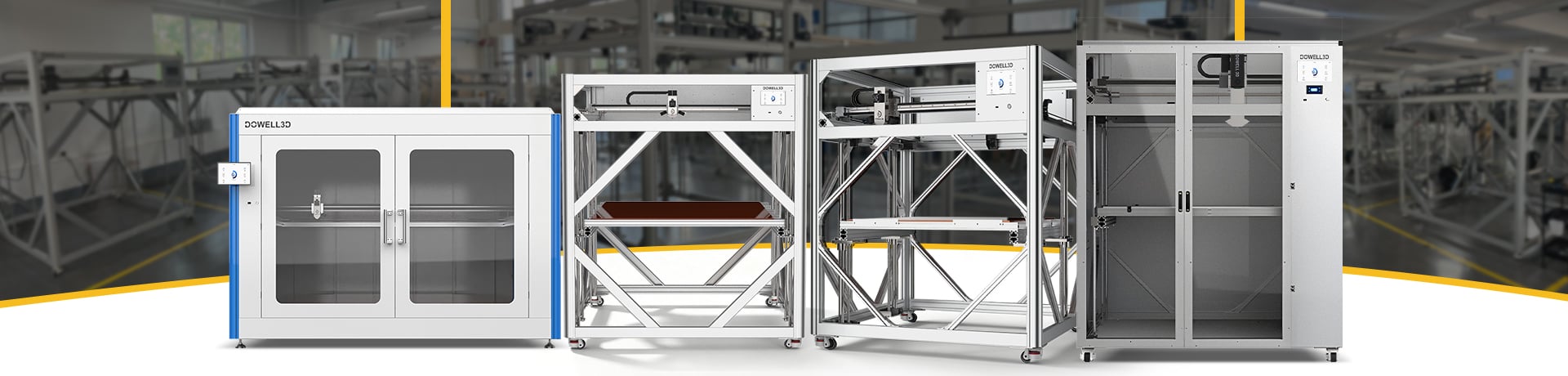
At Dowell 3D, we build large format and industrial 3D printers with exactly these failure modes in mind — rigid frames, stable thermal envelopes, and precision motion systems so that the problems you spend time on are interesting ones, not the same old first-layer mess.
But even the best 3D printer isn't a magic fix. Most failed prints come back to the same few root causes. Sorting them into three buckets won't make failures disappear, but it will make you faster at fixing them — and that's what actually gets you through a long print night.