
 EN
EN
 AR
AR
 BG
BG
 HR
HR
 DA
DA
 NL
NL
 FR
FR
 DE
DE
 EL
EL
 HI
HI
 IT
IT
 JA
JA
 KO
KO
 PT
PT
 RU
RU
 ES
ES
 SV
SV
 TL
TL
 ID
ID
 SR
SR
 SK
SK
 UK
UK
 VI
VI
 ET
ET
 HU
HU
 TH
TH
 TR
TR
 MS
MS
 GA
GA
 BE
BE
 HY
HY
 KA
KA
 LO
LO
 LA
LA
 MN
MN
 NE
NE
 SO
SO
 MY
MY
 KK
KK
 UZ
UZ
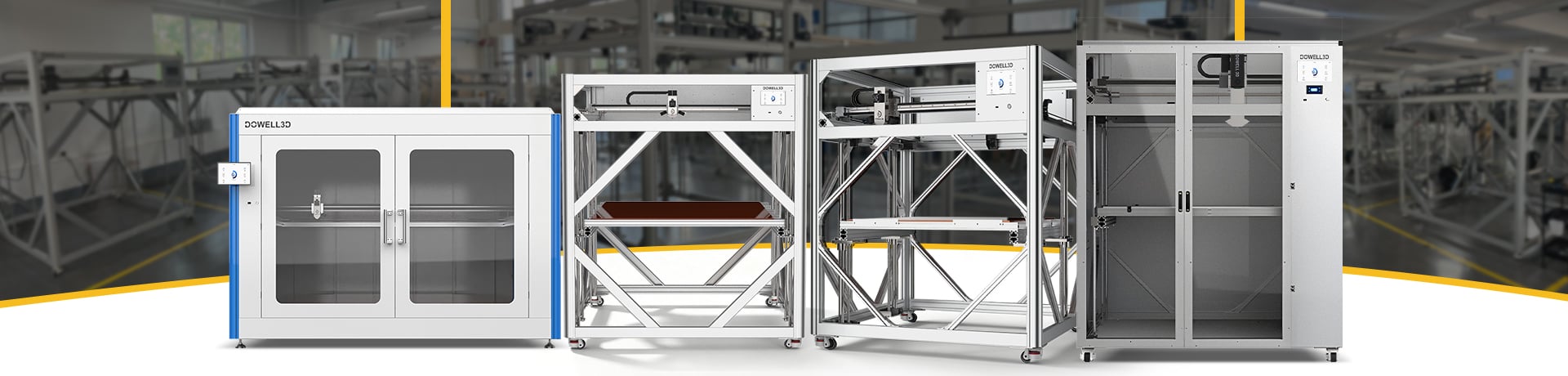
Large Format 3D Printing: How to Prevent Warping
Warping is one of the most frustrating problems in large-format 3D printing. A print may look perfect for the first few hours, then its corners start lifting from the build plate. On a large prototype, mold, or functional part, even slight deformation can affect fit, accuracy, and production time.
The good news? A few adjustments to temperature, bed adhesion, and print settings can make a real difference.
What Causes Large 3D Prints to Warp?
Warping occurs when a printed part shrinks unevenly during the cooling process. As the material in each layer contracts, internal stresses develop, which can cause the edges of the print to lift away from the build platform.
This issue is particularly pronounced with large, flat components or when using materials that exhibit high shrinkage upon cooling, such as ABS. In industrial-grade 3D printing, the failure of a print job that takes several hours to complete results not only in the waste of materials but also in the loss of machine time and labor costs.
5 Ways to Avoid Warping in Large Format 3D Printing
1. Keep the Build Plate Clean and Level
A clean surface and the correct nozzle height help ensure that the first layer of material adheres firmly to the print bed. Before starting a large print job, remove any debris, dust, or residual material from the bed. Additionally, check the calibration of the print bed to ensure the distance between the bed and the nozzle is optimal.
If adhesion remains poor after taking these steps, you can apply a suitable adhesive to the print bed, depending on the material you are using.
2. Maintain a Stable Printing Temperature
Changes in the ambient and printer temperatures should be as small as possible, because larger thermal changes can add to printing stresses. A heated bed helps keep the lower layers warm, while an enclosure can reduce drafts and temperature fluctuations.
For materials such as ABS, stable ambient temperatures are particularly important. While you have the flexibility to adjust various parameters, it is recommended to follow the manufacturer’s suggested printing temperatures and the specified operating temperature range for the material.
3. Optimize Cooling and First-Layer Settings
Excessive cooling during the first few layers can cause edges to lift. Adjust the cooling fan, first-layer speed, and bed temperature according to the material. Slowing down the first layer can improve adhesion without unnecessarily extending the entire print.
Parameter settings for desktop-grade 3D printers cannot be directly applied to large-format printers, as the heat distribution in large-scale equipment differs, resulting in variations in thermal gradients (temperature gradients).
4. Use a Brim and Optimize Part Design
Adding a brim increases the contact area between the model and the build plate, which helps prevent the edges and corners of the model from lifting (warping). For parts with large, flat bases, incorporating fillets or rounded transitions can also help reduce stress concentrations.
When the design allows it, consider adjusting part orientation or splitting an oversized model into sections.
5. Choose a Printer Built for Large Parts
If parts continue to warp despite correct settings, the issue may lie in the machine’s temperature stability, the uniformity of the build platform, or its overall mechanical performance.
A suitable large-format 3D printer should offer ample build volume, a reliable extrusion system, and a stable operating environment. For manufacturing enterprises that prioritize repeatable results, a high-precision 3D printer must also ensure consistent dimensional accuracy—going beyond the mere capability to print larger objects.
Conclusion
Preventing warping is about controlling shrinkage, improving first-layer adhesion, and keeping printing conditions stable. Start with the build plate and temperature settings before changing several parameters at once.
If your business regularly produces large prototypes, molds, or industrial components, choosing the right industrial 3D printer can make large-scale production more predictable. DOWELL3D provides large-format 3D printing solutions for manufacturing applications, helping businesses find equipment suited to their part size and production requirements.
Planning a large print? Review your part dimensions, filament requirements, and accuracy targets before choosing your next 3D printer.